Why choosing the right casual game matters
Casual games are meant to be low-pressure, quick to pick up, and gently rewarding. But not every game labeled “casual” helps you unwind—some are designed to be competitive, grindy, or full of interruptions. Use the checklist below to choose games that reduce stress, fit short sessions, and leave you smiling instead of frustrated.
Quick checklist: what to look for
- Visual style and interface
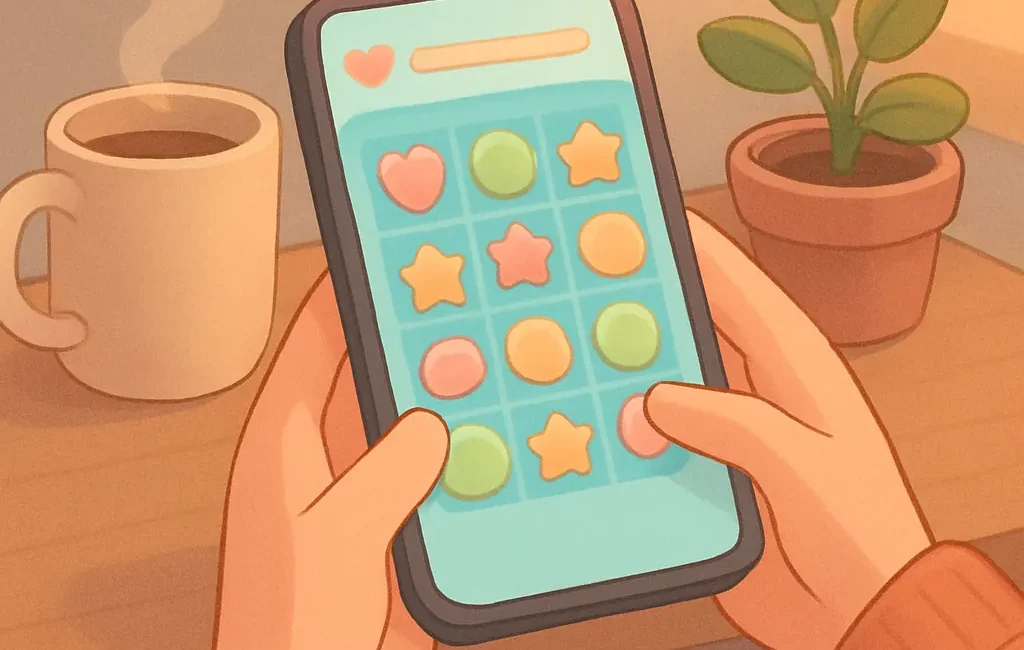
Pick visuals that make you feel calm. Soft color palettes, simple shapes, and uncluttered UIs are easier on the eyes than saturated colors, flashing effects, or dense info panels. Look for readable fonts and clear icons—if menus are confusing, the game will create friction rather than relaxation.
- Difficulty curve and pacing
Relaxing games let you learn at your own pace. Avoid titles with sudden spikes in difficulty or time-limited events that force repeated attempts. Games that offer optional challenge modes, adjustable difficulty, or a steady progression are better if you want a stress-free experience.
- Session length and save/resume design
Decide how long your ideal play session should be—3, 10, or 20 minutes. Choose games with naturally short levels, distinct mini-sessions, or reliable save-at-any-time systems. If a game forces long runs or complex daily chores, it’s less suited for quick relaxation breaks.
- Audio and sound design
Sound can make or break relaxation. Look for calming music, ambient sound options, and straightforward volume controls. The best casual games let you mute effects or music independently, so you can tailor audio to your environment (e.g., quiet public spaces or late-night play).
- Monetization and interruptions
Free-to-play systems can be fine, but avoid games that frequently interrupt with ads, forced timers, or aggressive purchase prompts. Games that clearly separate cosmetic purchases or optional expansions from core progression are preferable for a stress-free experience.
- Controls and input simplicity
Casual games should use intuitive controls—tap, simple swipes, or single-button actions. Steer clear of titles that demand precise timing, long gestures, or complex control combinations unless you specifically enjoy that challenge.
- Accessibility and options
Check for basic accessibility settings: colorblind modes, adjustable text size, and control remapping. These options make play more comfortable and reduce accidental frustration. Accessibility features often indicate a developer mindset focused on player comfort.
- Offline and connectivity needs
If you value low-pressure sessions, prefer games that don’t require constant online access. Online-only features can introduce delays, matchmaking stress, or sudden connection failures—none of which help relaxation. For practical picks and tips, consider consider offline options for stress-free play.
- Battery and performance
High frame rates, constant network activity, or heavy visual effects drain battery and can make casual play impractical on mobile devices. When browsing stores, check screenshots and reviews for battery behavior or prioritize titles listed as lightweight. For deeper guidance, see battery-friendly considerations when choosing.
Choosing by relaxation goal
Different people relax in different ways. Some want to zone out with ambient visuals; others prefer light puzzles that focus their mind. Match the game to your goal by genre—if you’re not sure which genres fit your purpose, compare how genres meet relaxation goals to pick a direction before you shop.
A simple five-step process when browsing games
- Scan screenshots and short clips
In 10–20 seconds you can tell if a game’s visual style, menu clutter, and on-screen prompts feel calm or hectic. Prefer images that show minimal HUD and clear, readable elements.
- Read the real player reviews
Look for mentions of ads, sudden difficulty spikes, crashes, or battery drain. Reviews that repeatedly call out interruptions or aggressive monetization are red flags for relaxation-focused play.
- Check session structure in the description
Descriptions or store pages often say if the game has short levels, daily tasks, or long uninterrupted runs. If the developer highlights quick-play features, it’s a good sign for casual relaxation.
- Try the first 10–15 minutes
Most mobile and browser games are forgiving in the early stages. Play through the tutorial and a couple of levels to judge pacing, audio, and how intrusive ads or prompts are. If it’s not calming within that window, it likely won’t be later.
- Consider settings before committing
Before making any purchases or adding a game to your routine, check for volume controls, difficulty toggles, and save options. Small settings can transform a stressful game into a comfortable one.
Final tips and keeping it low-pressure
- Curate a short list of 3–5 games and rotate them so each session feels fresh.
- Use device settings like Do Not Disturb while playing to avoid notifications breaking your flow.
- Accept that some games are better for specific moods—don’t force a title to be relaxing if it consistently feels tense.
- If you want curated picks that match offline or battery-friendly needs, check the related guides on the site for practical suggestions.
Choosing casual games for relaxation is a mix of objective checks and personal taste. Use this checklist as a starting point, and fine-tune it based on what helps you feel calm after a short play session. If you’d like a short cheat-sheet version to save on your phone, sign up for our newsletter or bookmark this post for quick reference.